Cover Image
You spend three days refining a Figma file. Every component is pixel-perfect, every color token is named, every auto-layout is nested correctly. You hand it to a developer. They paste a screenshot into Cursor. The AI spits out a button that is the wrong shade of blue, padded wrong, and uses a font you have never seen before.
This is not a developer problem. This is a format problem. Figma files are invisible to AI agents. They can see hex codes but not semantic meaning. They can measure spacing but not understand why that spacing exists. And in 2026, when more code is generated by AI than written by humans, this blind spot has become the single biggest bottleneck in the design-to-code pipeline.
The fix is not a better Figma plugin. It is a plain text file called DESIGN.md — and in the three months since Google Stitch introduced it, it has reshaped how the industry thinks about design handoff entirely.
The Figma-to-AI Blind Spot: Why Your Design Files Are Invisible to Agents
Let me be direct about the problem, because I have watched it unfold on real projects.
When a developer drops a Figma link or a screenshot into Claude Code or Cursor, the AI receives raw visual data — hex values, pixel measurements, font names. It does not know that #1A1A2E is your brand's surface/primary token. It does not know that 16px of padding is your standard card inset. It does not know that your button component always uses a 0.5px border with 8px radius. And crucially, it does not know which of these values are intentional design decisions and which are accidents.
The result is design fragmentation at scale. Every AI-generated component becomes a snowflake — close enough to look plausible, different enough to erode brand consistency across screens. One 2026 SD Times report put it bluntly: teams are coding 40% faster but "building on sand."
I have seen teams lose 30–40% of sprint velocity correcting AI-hallucinated design values — padding that should be 16px but comes out as 15px, colors that are one shade off, typography that ignores the hierarchy defined in Figma. These are not bugs the AI is introducing. They are gaps in what the AI is given to work with.
The underlying issue is structural. As one dev.to analysis captured it: teams give AI the what without the how or the why. A Figma screenshot says "this is what it looks like." It does not say "use NextAuth for auth, not a custom JWT implementation" or "schemas live in lib/schemas/, not colocated with components." AI agents need that context, and Figma files cannot carry it.
Google Stitch and the Birth of DESIGN.md: What Happened in March 2026
On March 19, 2026, Google Labs announced a major upgrade to Stitch — its AI-powered UI design tool, now powered by Gemini. The announcement introduced three things simultaneously: an AI-native design canvas that generates multi-screen interfaces from text prompts, a concept they called "Vibe Design," and a file format called DESIGN.md.
The market reacted immediately. Figma's stock dropped 8% within a day. Not because Stitch was a better Figma — it was not, and still is not — but because DESIGN.md attacked the handoff problem that Figma had not solved in a decade. Figma files are proprietary, visual, and opaque to non-design tools. DESIGN.md is plain text, structured, and trivially consumable by any AI agent that can read a file.
The format is intentionally simple. Nine standardised sections — Visual Theme, Color Palette, Typography, Component Styling, Layout Principles, Depth and Elevation, Do's and Don'ts, Responsive Behavior, and an Agent Prompt Guide. At the top, YAML front matter encodes machine-readable design tokens. Below it, Markdown prose explains the design intent in human language. When Google open-sourced the spec under Apache 2.0 in April, the CLI validator (npx @google/design.md lint) shipped on the same day — it checks token references, WCAG contrast ratios, and structural compliance automatically.
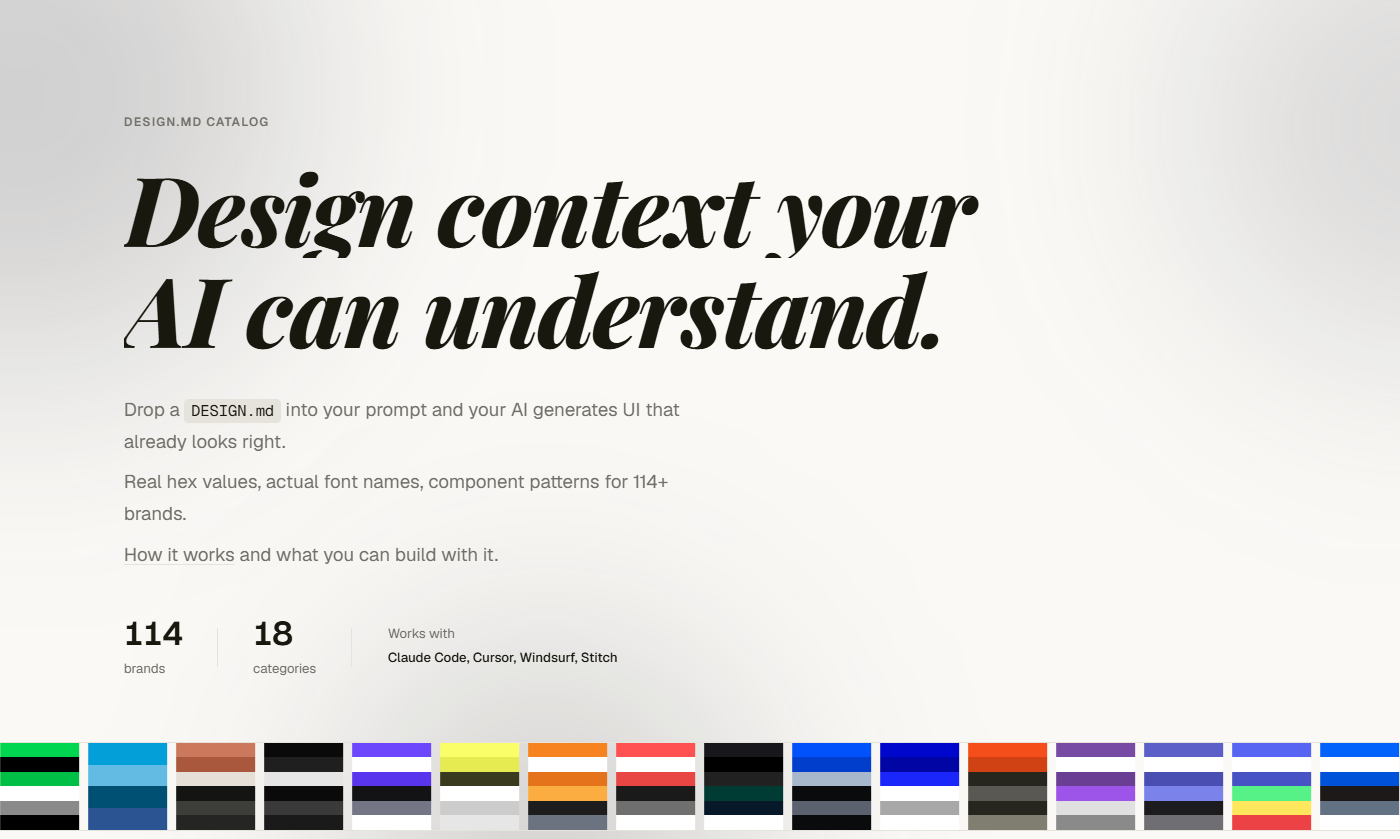
What happened next was the fastest-growing awesome list in GitHub history. VoltAgent published awesome-design-md on March 31 — a curated collection of DESIGN.md files extracted from the world's most recognisable brands. Stripe. Linear. Vercel. Notion. Apple. Airbnb. Tesla. Within 10 days, it had accumulated over 39,000 stars — roughly 10 times the velocity of any previous awesome list. By mid-April, it was past 54,000 stars with over 5,000 forks. The fork rate of 12.6% (compared to the typical 7–9%) signalled real usage, not passive bookmarking.
🚀 Pro tip: You can drop any brand's
DESIGN.mdinto your project root with a single command:npx getdesign@latest add stripe. Your AI coding agent reads it automatically and generates UI consistent with that brand's design system. No configuration, no packages, no API keys.
Inside a DESIGN.md File: Tokens, Rules, and the Agent-Consumable Design System
Let me show you what matters, because the format's elegance is in what it omits as much as what it includes.
The YAML layer is the precision layer. It stores exact values that machines consume without ambiguity:
# Machine-readable design tokens
colors:
  primary: "#3B82F6"
  surface:
    primary: "#FFFFFF"
    secondary: "#F9FAFB"
spacing:
  xs: "4px"
  sm: "8px"
  md: "16px"
typography:
  heading:
    fontFamily: "Inter"
    weight: 700
The Markdown layer is the wisdom layer. It stores the design rationale that prevents AI agents from making technically correct but visually wrong decisions:
"Primary blue is reserved for interactive elements only — buttons, links, and focus rings. Never use it for decorative backgrounds or text. Our spacing system is based on multiples of 4. If a value is not divisible by 4, you are doing something wrong."
This split matters for a reason that is not obvious until you have worked with AI-generated code. Agents need both layers. The YAML gives them numbers. The Markdown gives them judgment. Without the judgment layer, an agent will happily use your primary blue as a section background because it found no rule saying it could not. Without the precision layer, it will approximate spacing and drift from your system over multiple generations.
The 9-section structure is not arbitrary either. It is designed to be sufficient but not overwhelming — enough to generate consistent UI, not so much that the file becomes a documentation project of its own. A well-written DESIGN.md runs about 150–300 lines. That is small enough to read in a single context window, which means every AI generation from your project sees your complete design system on every request.
The AGENTS.md, SKILL.md, DESIGN.md split has become the standard mental model: behavior lives in AGENTS.md, task procedures live in SKILL.md, and appearance lives in DESIGN.md. Three files, three concerns, no overlap.
The Toolchain: Figma Plugins, MCP Servers, Chrome Extensions, and Wireloom
The ecosystem that formed around DESIGN.md in Q1–Q2 2026 tells you this is a genuine standard, not a Google Labs experiment. Here is what actually works today:
From Figma to Markdown. The most practical path is the figma-to-markdown MCP server — it wraps Figma's official MCP endpoint and strips out the React and Tailwind boilerplate, returning compact Markdown that AI agents can act on. Token savings average around 45%. For designers who live in Figma, this is the lowest-friction bridge: select a frame, run one MCP tool call, and you have a markdown spec ready for consumption.
Figma itself has leaned in. The May 2026 release notes introduced MCP as a first-class integration path with documented workflows for code-to-canvas, design system sync, and canvas exploration. They introduced Skills — plain-text instruction files that teach AI agents how to accomplish repeatable design tasks — essentially acknowledging that the agentic workflow is now the primary use case, not a side feature.
From any website to Markdown. The Chrome extensions are surprisingly good. Designpull uses AI vision to generate Google Stitch-compatible DESIGN.md files from any URL — bring your own API key for Gemini, OpenAI, or Claude. TypeUI's DESIGN.md extractor captures CSS tokens and generates both DESIGN.md and SKILL.md files. And designlang goes further, extracting a complete design system with 19 sections including WCAG scoring and Tailwind v4 config.
Wireframes in Markdown. Stardock Wireloom, released under MIT in April 2026, solved a problem I did not know I had: how do AI agents communicate UI ideas to each other and to humans? Wireloom uses an indentation-based syntax inside fenced code blocks that renders as inline SVG. A full settings dialog fits in about 300 tokens of source. For comparison, a PNG of the same dialog costs 10,000–20,000 tokens. Wireloom ships with AI skill files so agents produce valid output on the first attempt — no iteration, no correction loops.
💡 Tip: Not every design artefact needs to be a pixel-perfect Figma file. For early-stage UI concepts, a 300-token Wireloom block is faster to generate, cheaper to transmit, and easier to iterate than any image-based alternative.
The Designer's New Workflow: From Pixel Janitor to Design System Steward
I want to be honest about what this shift means for designers, because most of the coverage so far has been written by developers.
The old workflow was: design in Figma → export specs → developers interpret → review → feedback loop → ship something close enough. The designer's role was creator and quality controller. The AI agent was not in the loop at all.
The new workflow is: design in Figma → generate DESIGN.md → AI agent consumes it alongside the codebase → production code ships with consistent tokens → designer reviews the output, not the implementation. The designer's role shifts from pixel janitor — perpetually cleaning up after the AI firehose — to design system steward. You define the rules. The agents follow them. You audit for drift instead of correcting every button one at a time.
This is the vision laid out in the Kilo.ai blog post by the company's first designer, and it is the most clear-eyed account I have read of what this transition actually feels like. The key sentence: "everyone — humans and AIs — ships like a mini-CEO." The designer's leverage multiplies because their decisions propagate automatically. But the role also demands new skills: token management, spec authoring, AI behaviour prompting, and design review at machine scale.
The alternative is not appealing. Without a structured design spec that agents can consume, designers become the bottleneck — reviewing every AI-generated component individually, correcting the same colour error in forty different files, watching the design system erode because there is no automated enforcement. The choice is not whether to adopt a design spec format. It is whether you want to spend your time setting rules once or correcting violations forever.
What Is Still Broken: Sync, Accuracy, Gatekeeping, and the Google Labs Risk
I am optimistic about DESIGN.md as a format, but I am not naive about the gaps. Here is what is still broken in May 2026.
The sync problem. DESIGN.md is a static snapshot of a living design system. When the Figma file changes — and it always changes — someone has to regenerate the markdown. The MCP servers and Chrome extensions make this fast, but none of them automate it yet. Until a CI step exists that pulls design tokens from Figma and commits a DESIGN.md diff automatically, sync will remain a manual step. Manual steps get skipped under deadline pressure.
The accuracy problem. Extracted tokens do not always match the real design system. The awesome-design-md repo has 340+ open issues, and some of them report inaccurate colour descriptions and typography values. These are community-contributed extractions from publicly visible brand surfaces — they capture what a brand shows the world, not necessarily what is in their internal design system. For your own brand, generating DESIGN.md from your actual Figma files or codebase produces far more reliable results than downloading someone else's extraction.
The gatekeeping problem. VoltAgent does not currently accept community PRs for new brand design systems — only improvements to existing ones. As the getdesign.md website commercialises the collection, the question of who controls which design systems are available and how they are maintained becomes increasingly relevant. An open spec with a gated collection is a tension that needs resolving.
The Google Labs risk. Google has a history of launching ambitious open-source projects and deprecating them quietly. DESIGN.md is Apache 2.0 licensed, so the spec itself cannot be taken away. But the tooling — Stitch, the CLI validator, the MCP integrations — depends on Google's continued investment. The format is too useful to disappear even if Google steps back, but the velocity of ecosystem growth would slow considerably.
None of these are dealbreakers. They are the normal growing pains of a standard that went from zero to 54,000 GitHub stars in under a month. The important test is whether the format solves a real problem independent of any one vendor's support. It does. Figma files are invisible to AI agents. DESIGN.md makes them visible. That fundamental value proposition does not change regardless of what Google does next.
Two months ago, I had never heard of DESIGN.md. Now I cannot imagine shipping AI-generated UI without it. That speed of adoption tells you everything you need to know about how badly this problem needed solving.
Author