Cover Image
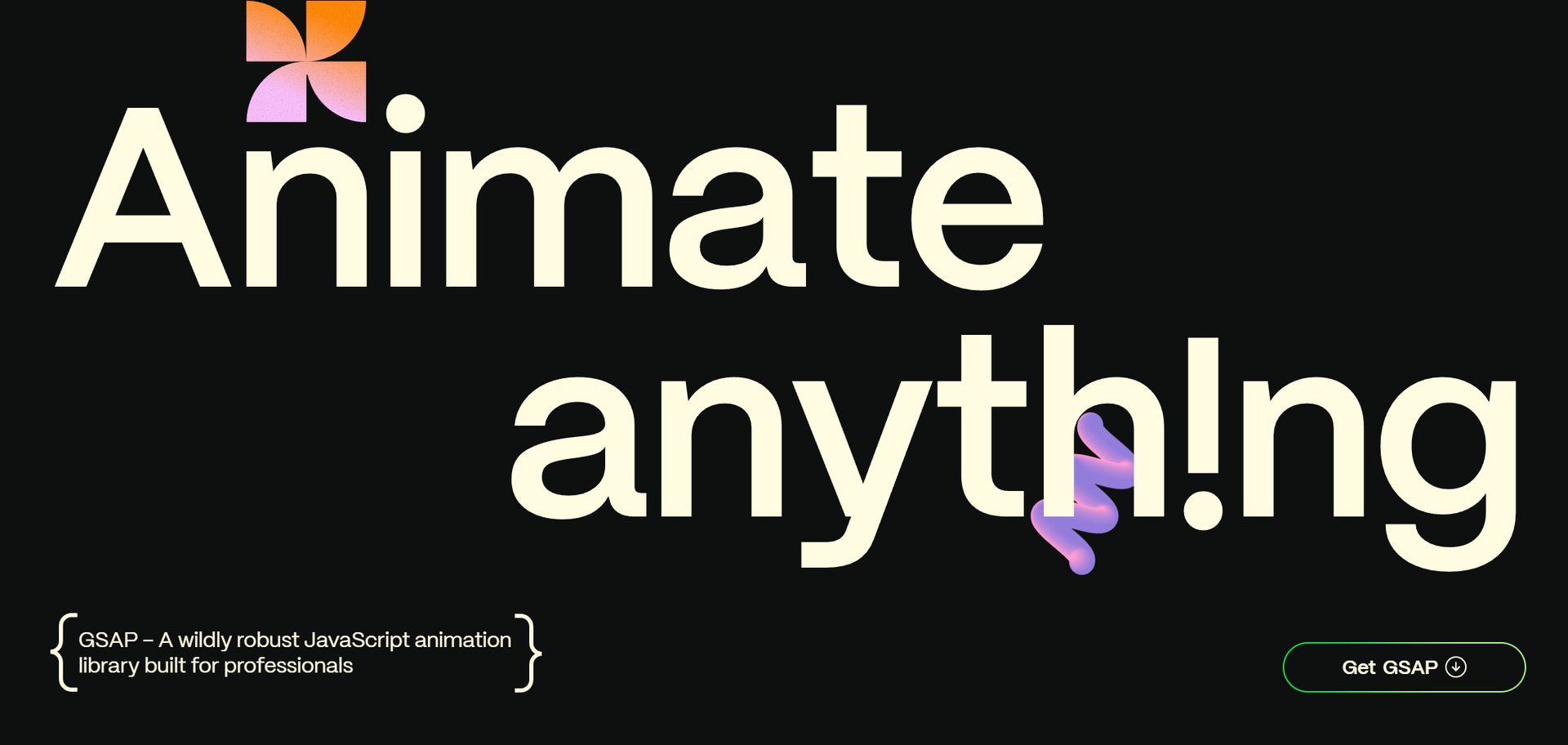
You open a landing page. The headline animates in — words snapping to position with sharp timing, a letterform stretching, settling, then the rest of the text flowing into place. For about two seconds, you're watching the page instead of scanning past it.
That's kinetic typography. And in 2026, it's finally shippable — not just as a video embed or a GIF fallback, but as real CSS and JavaScript animation that loads fast, responds to scroll, and doesn't punish mobile users.
The problem is that most articles on this topic do one of two things: they show you a beautiful After Effects export and call it a tutorial, or they give you a CSS fade-in and call it kinetic typography. Neither is useful.
This guide is for the developer or designer who wants to actually build this — with a clear decision framework for when to animate, which tools to reach for, and how to do it without destroying your Core Web Vitals scores or accessibility compliance.
What Kinetic Typography Actually Means on the Web
There's a definition problem in this space. Kinetic typography — animated text — has a long history in film, broadcast, and video. The classic examples: Saul Bass title sequences, Kyle Cooper's Se7en credits, the synchronized lyric videos that dominated YouTube in the 2010s. These are After Effects exports. They are video files.
Web-native kinetic typography is something different. It's HTML text animated in the browser using CSS or JavaScript. The critical distinction isn't just technical — it's architectural. A video file is a closed unit: you load it or you don't, you watch it or you don't. Animated HTML text is part of the page. It responds to scroll position, it reflows with responsive layout, it interacts with the rest of your UI, it can be paused or toggled by the user.
This matters because it changes what you can do with it. A kinetic typographic headline built with CSS can scroll-lock to a position, animate based on scroll progress, react to hover states, and degrade gracefully when JavaScript fails or the user has motion preferences set. A video file cannot.
The other practical difference: web-native kinetic typography has to coexist with everything else on the page. Your animation system needs to play well with your framework, your performance budget, and your accessibility requirements. That's the challenge this guide is built around.
Why Kinetic Typography Is Having a Web Moment in 2026
Three things converged in the last two years that changed what's actually possible to ship.
CSS scroll-driven animations shipped in Chrome 115 (August 2023) and have since landed across all major browsers. This is the biggest change in web animation since CSS keyframes. For the first time, you can link animation progress directly to scroll position using pure CSS — no JavaScript, no Intersection Observer polling, no RAF (requestAnimationFrame) loop. The browser handles it natively. That changes the cost calculus for kinetic typography fundamentally: if the animation is tied to scroll, you pay almost nothing for it in JavaScript overhead.
GSAP matured into a genuinely production-grade animation library. GSAP 3.x has been out since 2020, but its ScrollTrigger plugin — which ties animations to scroll position with pixel-perfect control — has become the default answer for complex kinetic typography on production sites. It handles timeline sequencing, scrub behavior, and mobile fallbacks in ways that hand-rolled JavaScript animation cannot match in reasonable development time. The tradeoff is dependency weight: GSAP plus ScrollTrigger is a meaningful addition to your JavaScript bundle.
Landing page competition drove designers to differentiate on motion craft. As landing pages became more homogenized — same hero layouts, same component libraries, same copy frameworks — the sites that broke through were the ones that felt like they'd been made by people who cared about the details. Kinetic typography is a high-signal indicator of craft. It tells the user: someone thought about how this content would feel as it moved, not just how it looked when it stopped.
The result: in 2026, kinetic typography has moved from "impressive portfolio experiment" to "legitimate production tool" for a specific use case: brand-forward landing pages, product launches, editorial long-form content, and portfolio sites where the work justifies the attention cost.
The Performance Reality: When Kinetic Type Helps and When It Hurts
Here's the question most tutorials skip: what does this cost?
Core Web Vitals impact is real and asymmetric. Kinetic typography affects Largest Contentful Paint (LCP) and Cumulative Layout Shift (CLS) directly. If your animated text is the LCP element — the first thing the browser identifies as the main content — then your animation system is part of your critical rendering path. A JavaScript-driven animation that loads after the text has already rendered will cause a visible reflow: text appears, then jumps as the animation initializes. CSS-only animations tied to scroll don't have this problem, but they also don't give you the sequencing control you might want.
JavaScript bundle weight compounds quickly. GSAP + ScrollTrigger is approximately 60kb gzipped. That's not enormous, but it's not trivial either — and that's the baseline for the animation library that has the best developer experience. If you're trying to keep a landing page under 150kb total JavaScript, that's a significant allocation. CSS-only animations cost effectively zero JavaScript bytes.
Mobile is where kinetic typography gets exposed. What looks smooth and intentional on a 2024 MacBook Pro renders very differently on a mid-range Android device with a 90Hz screen and a thermal throttle. Kinetic typography that relies on precise RAF timing will stutter on mobile in ways that make it look broken rather than dynamic. Scroll-driven CSS animations offload to the compositor thread and tend to survive mobile conditions better than JavaScript-driven alternatives.
The decision rule: kinetic typography earns its performance cost when the animation is the product. If your landing page's entire differentiation is the typographic moment — if the headline animation is why the user is there — then the performance cost is justified. If kinetic typography is a nice-to-have layered on top of a page that has to work regardless, CSS-only, scroll-driven approaches are the only defensible choice.
The 2026 Toolkit: CSS-First vs GSAP vs Video Export
Here's the honest decision framework.
CSS keyframes and transitions — use this when: your animation is simple (fade in, slide up, scale), you want zero JavaScript dependency, you're targeting broad browser support, and the animation plays once on load or on hover. CSS keyframes and transitions are the right answer for the majority of typographic animation on the web. Don't reach for GSAP to animate a word fading in.
/* CSS-only kinetic typography: staggered word entrance */
.word {
  display: inline-block;
  opacity: 0;
  transform: translateY(20px);
  animation: word-enter 0.4s ease-out forwards;
}

@keyframes word-enter {
  to {
    opacity: 1;
    transform: translateY(0);
  }
}

/* Stagger each word */
.word:nth-child(1) { animation-delay: 0ms; }
.word:nth-child(2) { animation-delay: 100ms; }
.word:nth-child(3) { animation-delay: 200ms; }
.word:nth-child(4) { animation-delay: 300ms; }
CSS scroll-driven animations — use this when: your animation is tied to scroll position, you want no JavaScript, and you're targeting modern browsers (Chrome 115+, Firefox 113+, Safari 16.4+). This is the most cost-effective approach for entrance sequences and parallax typography.
/* CSS scroll-driven kinetic typography */
@supports (animation-timeline: scroll()) {
  .kinetic-headline {
    animation: fade-slide-in linear both;
    animation-timeline: scroll(root);
    animation-range: entry 0% entry 40%;
  }

  @keyframes fade-slide-in {
    from {
      opacity: 0;
      transform: translateY(30px) scale(0.95);
    }
    to {
      opacity: 1;
      transform: translateY(0) scale(1);
    }
  }
}
GSAP + ScrollTrigger — use this when: you need precise timeline sequencing across multiple elements, the animation spans complex choreography (multiple elements moving on different curves, triggered at different scroll positions), or you need broad browser support and can't rely on the scroll-driven animation spec alone. GSAP handles fallbacks for older browsers automatically.
Video or GIF export — use this when: the animation is so complex that no CSS or JavaScript approach can replicate it, you're working with After Effects source files from a motion design team, or you're building a fallback for browsers that don't support CSS animations. The honest truth: video export is a last resort for web-native kinetic typography, not a first choice. A video file carries the weight of the entire After Effects composition — file size, fixed resolution, no responsive behavior, no accessibility layer.
How to Add Kinetic Typography Without Killing Accessibility
This is the part most animation guides omit entirely, and it's the difference between a professional implementation and one that costs you users.
WCAG Success Criterion 2.3.3 (Animation from Interactions) states that content that animates on load or via interaction should not flash more than three times per second — this is the seizure threshold. Most kinetic typography doesn't approach this risk, but fast, strobing letter animations can. Test your animation against this criterion before shipping.
The prefers-reduced-motion media query is non-negotiable. A significant portion of users — people with vestibular disorders, epilepsy, motion sensitivity from medication, or simply personal preference — has motion reduced at the OS level. Your animation must respect this.
/* Respect prefers-reduced-motion at the CSS level */
@media (prefers-reduced-motion: reduce) {
  .kinetic-headline,
  .word,
  .letter {
    animation: none !important;
    opacity: 1 !important;
    transform: none !important;
  }
}
// Check prefers-reduced-motion in JavaScript
const prefersReducedMotion = window.matchMedia(
  '(prefers-reduced-motion: reduce)'
).matches;

if (!prefersReducedMotion) {
  // Initialize GSAP/JS animations
  initKineticTypography();
}
Beyond WCAG compliance: give users a motion toggle. For production sites where kinetic typography is a core brand element, a persistent toggle — a small button in the corner that switches between kinetic and static — is the gold standard. It signals that you care about the experience of users who can't enjoy motion, and it protects you when your kinetic typography encounters an edge case you didn't test for.
The Scroll-Driven Animation Pattern That Works in 2026
The production-ready pattern for kinetic typography that you can ship today combines CSS scroll-driven animations as the baseline with GSAP ScrollTrigger as the enhancement for browsers that need more control.
The CSS foundation: wrap your typographic animation in @supports (animation-timeline: scroll()) so older browsers get static text — not broken or missing content, just static. This is progressive enhancement, not a fallback.
@supports (animation-timeline: scroll()) {
  .scroll-kinetic {
    animation: kinetic-in linear both;
    animation-timeline: scroll();
    animation-range: entry 0% entry 50%;
  }

  @keyframes kinetic-in {
    0% {
      opacity: 0;
      transform: translateX(-40px) skewX(-4deg);
      filter: blur(4px);
    }
    60% {
      filter: blur(0);
    }
    100% {
      opacity: 1;
      transform: translateX(0) skewX(0);
    }
  }
}
The GSAP enhancement: for browsers that support it and when you need timeline choreography, GSAP ScrollTrigger gives you frame-accurate control that CSS can't match. The typical pattern: CSS handles the entry animation (it runs once, on load), GSAP handles scroll-triggered animations that need scrub control and timeline sequencing.
// GSAP ScrollTrigger enhancement for complex sequences
gsap.registerPlugin(ScrollTrigger);

gsap.from('.hero-word', {
  y: 60,
  opacity: 0,
  duration: 0.8,
  stagger: 0.12,
  ease: 'power3.out',
  scrollTrigger: {
    trigger: '.hero-headline',
    start: 'top 80%',
    toggleActions: 'play none none reverse'
  }
});
The key discipline: use only as much animation complexity as the content justifies. A three-word hero headline with a staggered word entrance doesn't need GSAP — it needs a CSS keyframe. A full typographic sequence that introduces a product across a 15-second scroll through a brand story might need GSAP's timeline control. Match the tool to the complexity of the moment.
Where Kinetic Typography Actually Converts
The honest ROI case is narrower than the excitement around it suggests.
Where it works: hero sections for brand-forward landing pages, where the typographic moment is the reason the page exists. Product launch pages where the animation builds anticipation. Editorial long-form content where typographic motion signals editorial quality and distinguishes your publication from static competitors. Portfolio sites for designers and motion studios where the work justifies the craft signal.
Where it undermines rather than builds: B2B SaaS pages where users came to evaluate a feature, not to watch typography. Transaction flows (checkout, onboarding) where motion adds latency perception and user anxiety. Mobile-first content where the performance cost can't be justified. Dense information pages where the animation competes with the content instead of supporting it.
The pattern that works: kinetic typography amplifies an emotional moment that the content earned. If the copy builds toward a bold claim, the animation that lands that claim earns attention. If the copy is functional and the user is in evaluation mode, animated text adds friction without emotional payoff.
The version of kinetic typography that ships well in 2026 isn't the version that looks most impressive in an After Effects tutorial. It's the version that loads fast on a mid-range phone, respects the user's motion preferences, and appears at a moment when the user has actually stopped to read — not scroll past. Build that version, and you'll find that kinetic typography earns its place more often than not.
Stefan Tran
Tek lover