Cover Image
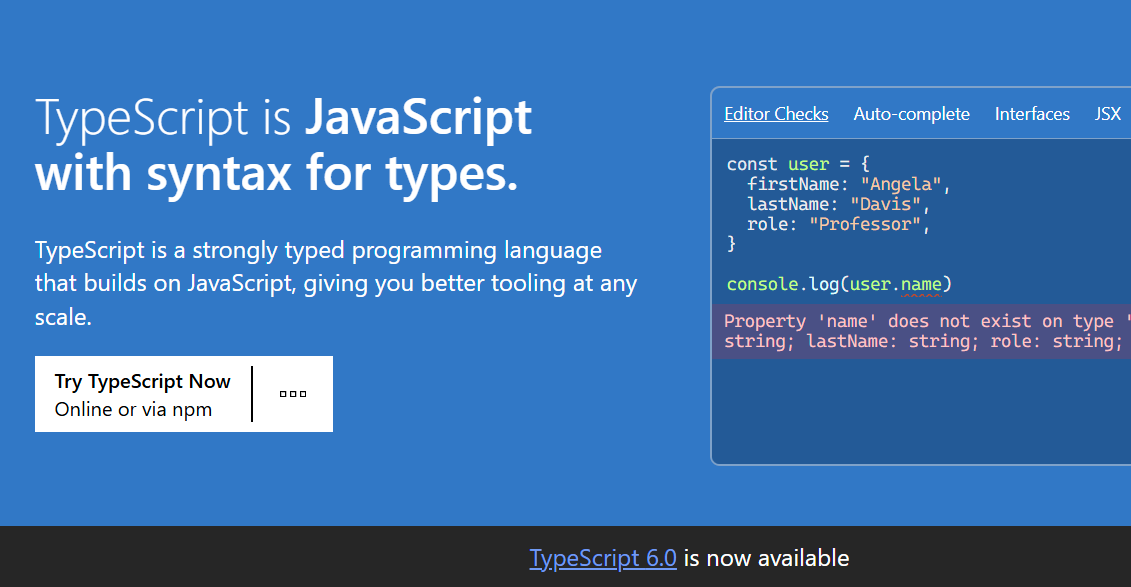
The average JavaScript-to-TypeScript migration uncovers 300–400 type errors on a moderately sized codebase. Most teams see that wall and immediately reach for any — or worse, strict: false. The code compiles. The tests pass. Everyone moves on.
Six months later, the runtime bugs start appearing.
Here's the test that exposes the illusion: open any .ts file in your codebase, strip the type annotations entirely, and run the JavaScript. If nothing breaks — no warnings, no unexpected behaviour — then your TypeScript was never actually protecting you. It was ceremony.
The discomfort most developers feel when strict: true surfaces 400 errors isn't a sign that TypeScript is broken. It's a diagnosis: the codebase had implicit any patterns all along, and TypeScript is finally making them visible. The question isn't whether to fix them. It's whether to do it properly — or paper over them.
This is the playbook for doing it properly.
The strict: true Checklist That Actually Pays Off
strict: true enables a suite of eight compiler flags. Most guides say "just enable it" — which buries teams in errors and sends them straight back to any. The pragmatic path is knowing which flags catch the most expensive bugs, and enabling them in the right order.
Here are the flags that deliver the highest ROI in 2026, ranked by impact.
strictNullChecks — The Non-Negotiable First Step
This is the single highest-value flag in TypeScript. Without it, undefined and null can flow anywhere without complaint. With it, you get compile-time certainty on every variable access.
// Without strictNullChecks — compiles, crashes at runtime
function getDisplayName(user: User) {
  return user.profile.displayName; // What if profile is undefined?
}

// With strictNullChecks — TypeScript forces you to handle the null case
function getDisplayName(user: User) {
  return user.profile?.displayName ?? "Anonymous";
}
The catch: retrofitting strictNullChecks on a large codebase is a project, not a weekend. Start with files that touch external data — API responses, user input, storage reads — and work inward.
noUncheckedIndexedAccess — Catches the [0] Mistake
const items = ["a", "b", "c"];
const first = items[0];
// Without this flag: first is typed as string
// With noUncheckedIndexedAccess: first is string | undefined
Without this flag, items[0] is typed as string even when the array might be empty. This flag makes TypeScript honest about that gap.
isolatedDeclarations — Enforces Exported Type Annotations
Introduced in TypeScript 5.5+ and increasingly critical in monorepos. When enabled, TypeScript requires explicit return type annotations on all exported functions. It sounds tedious. In practice, it makes type inference predictable across package boundaries — and directly improves IDE responsiveness in large codebases.
noImplicitReturns — Closes the undefined Path
If a function doesn't return a value in all code paths, this flag surfaces it at compile time instead of letting the caller deal with undefined at runtime.
The Flags to Enable When You're Ready
Flag | When to enable |
|---|---|
| Complex callback hierarchies |
| Retrofitting classes with lazy initialization |
| Rarely needed in modern codebases |
| Class-based code; less relevant in functional patterns |
Rule: start with strictNullChecks + noUncheckedIndexedAccess + isolatedDeclarations. Add flags one at a time. Let the codebase settle between each.
The Migration Strategy That Doesn't Kill Your Team
TypeScript's allowJs: true option lets you migrate a JavaScript codebase one file at a time without freezing feature development. But "you can mix TS and JS" is a permission, not a strategy. Here's a real one.
Phase 1 — Lock the Boundaries First
Before converting a single file, define where JavaScript enters your TypeScript system. These are your trust boundaries: API responses, storage reads, user input, third-party libraries. Type these contracts strictly and immediately.
// types/api-response.ts — define the contract at the boundary
export interface ApiResponse {
  data: T;
  status: number;
  message?: string;
}

async function fetchUser(id: string): Promise> {
  const res = await fetch(`/api/users/${id}`);
  return res.json();
}
Every boundary typed means every downstream function gets type inference for free.
Phase 2 — Convert Utility and Shared Code
Start with the files imported everywhere — utility functions, helpers, shared constants. Getting these right propagates types throughout the entire codebase with minimal friction and maximum leverage.
Phase 3 — Enforce at the Compiler Level
Once most of the codebase is typed, use ts-migrate (from the TypeScript team) to generate a migration-mode tsconfig.json:
npx ts-migrate full --strict init
It won't be perfect. It gives you a baseline. From there, enable flags one at a time.
Phase 4 — Treat any as a First-Class Incident
After migration, every as any, // @ts-ignore, and bare any type should have a tracked issue or a TODO with a ticket number. This prevents strict mode from silently regressing as the team grows and shortcuts accumulate.
The Five Type Errors That Make Senior Devs Rage-Quit
TypeScript's error messages improved dramatically in 5.x — but these five still cause genuine confusion. Here's what they actually mean, and how to fix them.
1. TS2322: Type 'X' is not assignable to type 'X'
The most hated error in the ecosystem. It almost always means a generic type constraint mismatch — TypeScript is comparing two instantiations of the same generic with different constraints.
Fix: Use Extract to force narrowing, or add explicit generic constraints:
function sort(items: T[]): T[] {
  return items.sort((a, b) => a.compare(b));
}
// Fails because T could be any subtype of Comparable
// Fix: constrain T more precisely or use Extract
2. TS2345: Argument of type 'X' is not assignable to parameter of type 'Y'
Usually a union type that's too wide or a structural typing mismatch. Almost always fixable with a type guard:
function isString(val: unknown): val is string {
  return typeof val === "string";
}

function processInput(val: unknown) {
  if (isString(val)) {
    // TypeScript narrows val to string here
    console.log(val.toUpperCase());
  }
}
3. TS2742: The inferred type appears to be a union type...
TypeScript giving up on inferring a precise type because the expression is too complex. Break the expression into intermediate typed variables, or extract a helper function with an explicit return type.
4. TS2589: Type instantiation is excessively deep
The recursive type death spiral — usually triggered by deeply nested generics. TypeScript ships Readonly, Partial, and Required utility types precisely to avoid this. Reach for those first.
5. TS7006: Parameter 'x' implicitly has an 'any' type
TypeScript couldn't infer the type and noImplicitAny is on. The fix is almost always to add an explicit annotation — which is exactly what you want:
// Fix: add the parameter type
array.forEach((item: MyType) => {
  // item is now properly typed
});
Type Safety Without the Ceremony: satisfies, as const, and unknown the Right Way
TypeScript 5.0+ shipped three features that let you write precise types with less boilerplate. They're still underused, and the most important one is actively misunderstood.
satisfies — Validate Without Widening
The widespread misconception: "satisfies is just as with extra steps." It isn't.
as widens the type. satisfies validates it at compile time without widening. This distinction is critical for configuration objects where you want both compile-time validation AND the narrowest possible inferred type.
// With `as const`: TypeScript widens "red" to string — you lose the literal
const color1 = { primary: "red" } as const;

// With `satisfies`: validated AND literal type preserved
type Palette = Record;

const palette = {
  red: [255, 0, 0],
  green: "#00ff00",
} satisfies Palette;

// palette.red is [number, number, number] | string
// And TypeScript guarantees both keys satisfy Palette
unknown — The Type-Safe Alternative to any
If you receive data from an external source and don't know its shape — fetch responses, JSON.parse output, user input — use unknown, not any. any tells TypeScript to ignore all type checking. unknown forces you to narrow before use.
function processInput(data: unknown) {
  if (typeof data === "string") {
    // TypeScript narrows data to string here
    return data.toUpperCase();
  }
  if (typeof data === "object" && data !== null) {
    // Narrow further with type guards
  }
  throw new Error("Unexpected input shape");
}
Pairing unknown with satisfies is the best-in-class pattern for validating external data while preserving the narrowest inferred type:
const config = unknownData satisfies ExpectedConfig;
// config is typed as the narrowest inferred type, but validated against ExpectedConfig
as const — Literal Types on Demand
const directions = ["north", "south", "east", "west"] as const;
// Type: readonly ["north", "south", "east", "west"]

// Use in discriminated unions:
type Direction = typeof directions[number]; // "north" | "south" | "east" | "west"
Your AI Pair Programmer Is Quietly Ruining Your Types
GitHub Copilot and Cursor generate TypeScript that looks correct but defaults to any when types get complex. The result: a codebase that compiles cleanly but has no actual type safety. This is the most underreported problem in TypeScript in 2026.
Three habits to keep AI-generated code type-safe.
1. Run typescript-eslint Before tsc
typescript-eslint runs type-aware linting rules that catch issues tsc skips in non-strict mode. Add it to CI, not just your editor:
npm install -D @typescript-eslint/parser @typescript-eslint/eslint-plugin
# .eslintrc.yml
parser: "@typescript-eslint/parser"
plugins: ["@typescript-eslint"]
rules:
  "@typescript-eslint/no-explicit-any": "error"
  "@typescript-eslint/no-unsafe-assignment": "error"
  "@typescript-eslint/no-unsafe-member-access": "error"
2. Use ts-prune to Remove Dead Types
AI tools generate types that accumulate silently. ts-prune finds unused type exports and keeps declaration files lean:
npx ts-prune
This directly improves IDE responsiveness in large codebases.
3. Track Every any with a Ticket Number
When you can't fix a type immediately, make it intentional and tracked:
// TODO(TS-1234): add proper types for legacy auth module
const session: any = getLegacySession();
Untracked any becomes the path of least resistance across the team. Tracked any becomes a managed migration backlog.
The TypeScript Config That Grows With You
Most tsconfig.json files are copy-pasted from a tutorial and never touched again. Here's what a 2026 production config should include for a growing codebase:
{
  "compilerOptions": {
    "target": "ES2022",
    "module": "NodeNext",
    "moduleResolution": "NodeNext",
    "strict": true,
    "strictNullChecks": true,
    "isolatedDeclarations": true,
    "noUncheckedIndexedAccess": true,
    "noImplicitReturns": true,
    "incremental": true,
    "composite": true,
    "declaration": true,
    "declarationMap": true,
    "sourceMap": true,
    "skipLibCheck": true
  }
}
incremental: true + composite: true together enable TypeScript's project references. In a monorepo with 50+ packages, a full rebuild might take minutes. An incremental build should take seconds. This is the switch that makes that happen.
skipLibCheck: true skips type-checking of .d.ts files in node_modules. Safe for most projects, significant compilation speedup. Leave it off only if you're shipping a library.
declaration: true + declarationMap: true generates .d.ts files alongside your compiled output, making your packages properly typed for consumers — including AI tools, which use type declarations to generate better code.
Conclusion
TypeScript in 2026 is not about writing more code. It's about writing code that's honest about what it expects. The teams getting the most out of TypeScript are the ones who've stopped treating strict mode as a compiler tax and started treating it as a colleague who asks hard questions at compile time — before they become production incidents.
The checklist is straightforward:
strictNullChecksfirst — this alone prevents the most expensive class of bugsType your API boundaries — everything downstream gets type safety for free
Migrate incrementally with
allowJs— don't freeze feature development to fix typesUse
satisfies,unknown, andas const— modern TypeScript is less verbose than you thinkTreat AI-generated
anyas a first-class incident — lint, review, and track it
TypeScript rewards discipline. Start with one flag, fix one category of error, and build the habit. Six months from now, you'll have a codebase where the types are actually working for you — not just pleasing the compiler.
Stefan Tran
Tek lover